Data Viewer Component Requirements
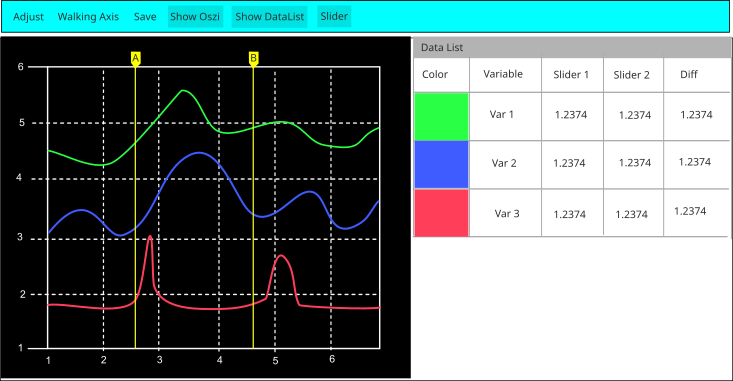
The data viewer GUI provides the defined main viewer layout. |
Axes are aligned to min/max values of currently displayed signals. |
The time axis follows simulation time and always shows the latest window segment. |
The currently displayed signal window can be saved. |
The oscilloscope view can be toggled; the button remains pressed while visible. |
The data list can be toggled; the button remains pressed while visible. |
Sliders can be toggled; the button remains pressed while sliders are visible. |
Data Viewer Layout (reference)