Main GUI Component Requirements

STUDIO-COMP-GUI-001 Main Window Structure
status: Must

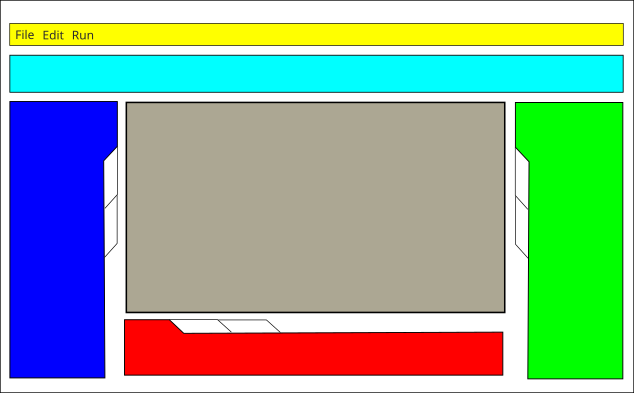
The main GUI includes at least:

  • main menu

  • main toolbar (open, save, and related actions)

  • vertically arranged resource tabs/tools area

  • drawing tool toolbar (create variable, connector, block, and related tools)

  • element list (switchable to model tree view)

  • console/logging area

  • experimentation/recording area

  • modeling canvas

STUDIO-COMP-GUI-005 Modeling edits via controller protocol
status: Must

User-driven edits on the modeling canvas (and equivalent graph-editing entry points in the main window) change domain state only through the Synarius Core controller implementing the Controller Command Protocol; see STUDIO-ARCH-005.

STUDIO-COMP-GUI-002 Main Window + Mode-Dependent Tabs
status: Must

The UI loads reliably and switches functionality context-dependently based on the active mode.

STUDIO-COMP-GUI-003 Simulation Context Menu
status: Should

Direct Stimulate/Measure actions for variables are available in simulation context menus.

STUDIO-COMP-GUI-004 Efficient Runtime Visualization
status: Should

Runtime value/status visualization updates efficiently and remains responsive.

Main GUI Layout (reference)

Main GUI layout